Remote Work Digest: June 26, 2015

The latest on all kinds of information, news and resources that help you make working remotely better.

Image from Ipdn4life.wordpress.com

Image from Ipdn4life.wordpress.com

4 Tips for Setting Up a Productive Home Office | Tech.co

Creating a cozy and productive work space that will help you stay on task is a must. Here are Dianna Labrien’s 4 effective tips to create to the perfect working environment:

1. Choose the right space
Keep a boundary within your home where work begins and ends. If you have the luxury of choosing your work space, it should be maintained as distinct from other rooms as possible. Make sure that distractions like game consoles, personal books, and other things that are non-work related are eliminated. Give it the real importance it deserves, set up your office at a more convenient area of your house.

2. You can never have too much storage space
Even when you work in tech, you can’t avoid having papers around. Invest in at least one four-shelf bookcase that can hold dozens of folders, books, and paper periodicals you still read. Organization is key to maintaining a good working environment.

3. Choose the right tools and support
Having a great work from home set up doesn’t assure you that your work flow will always go smoothly. Make sure that you have that you have the number of the most convenient local IT provider to cover your tech needs.

4. Lighting is crucial
The kind of light source you put in your work area will not only affect the quality of your work but the also your health. If you spend most of the time staring at your scree, f.lux should become your best friend. Aside from automatically adjusting your display colors and contrast depending on the time of the day to keep your eyes less stressed, it also helps you wind down easier by eliminating the blue light of your screen in case you’re working till late.

How to keep remote teams productive | Productive Mag

Keeping employees both happy and productive requires more thought and effort than most think. With all the articles on the internet regarding remote work productivity, you’ll read the employees who work remotely are happier and more satisfied due to less commute and more flexibility.

Here are the building blocks for a productive remote work set up according to Edsel Mendoza:

1. Over communication

According to Walter Chen of iDoneThis, “A virtual team must use a number of different tech tools to facilitate those varied employee relationships and interactions. This requires deliberate thought on how the team needs to communicate.”

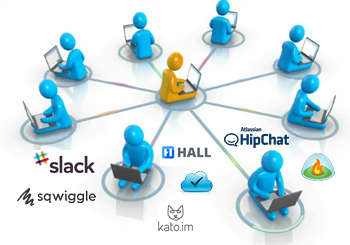
Sqwiggle and Speek are among the communication tools that can integrate smoothly into your common work habits.

2. Effective asynchronous working

Working towards a common goal can be challenging when your distributed team is working in a different time zone. Using collaboration tools meant for teams, like Nozbe and Campfire, to simultaneously work on projects are great for working asynchronously.

3. Progress tracking

The best tools for tracking productivity focus less on your laundry list and more on your accomplishments. Edsel suggests we check out Yesware, a lightweight plug in that tracks email activity, and iDoneThis, a great way to keep the team updated on everyone’s progress.

Telecommuting brings challenges, benefits to companies | Biz Journals

Telecommuting is rising, no one will argue with that. According to Society for Human Resource Management (SHRM), 38% of employees has offered the benefit in 2014 – an increase of 23% since 2008. Also, more companies began offering telecommuting in 2014 than any other benefit.

Telecommuting offers benefits for both employee and employers, including:

Improved employee satisfaction

Increased productivity

Cost savings

Flexibility

Although working from home sounds like a great idea, there are a variety of challenges we need to address in order for us to enjoy the advantages that come with it. Telecommuting can isolate you and that may not be a good attribute for productivity. It can also present too many distractions. The need for employers to be connected and working during the business hours should be explicit. However, using the right tools and understanding the nature of telecommuting can help you overcome the drawbacks that come with it.

10 Questions To Keep Your Remote Team Focused On Their Work | 15five

Creating a strong company culture can be difficult when you’re managing a remote team. One of the biggest reasons why virtual teams fail is because they don’t communicate or collaborate as much as they need to. However, according to David Hassell, asking the right questions at the right cadence builds structure and team cohesion and turns your imaginary office into something tangible.

Here are 10 questions designed to help you support your remote team to do their best:

Who on the team would you like to get to know better?
What do you think could help us to improve daily communication?
How have you improved your remote working skills this month?
What value do you get out of the daily/weekly call? How would you feel if we held it less frequently?
How’s the morale in your virtual office? What challenges are you facing?
Are you out of the office or traveling in the near future?
What has communication been like with team leaders, managers, and directors?
What are your primary goals this quarter?
Would any additional training be helpful?
What has become harder and easier in our work and business?
Communicating effectively and knowing the right questions to ask will help you keep your remote team focused on achieving company goals.

How to Effectively Delegate to Your Remote Team | Business Collective

Delegation is an essential leadership skill, and delegating to a virtual workforce is especially challenging. Here are some valuable tips on how to handle virtual delegation from Reputation Central, a fully decentralized business with remote workers around the world.

Understand Your Process

The key to assigning a task to someone is to fully understand what you are asking them to do. “Even with a proper structure in place, you’d be surprised how many people will wait until halfway through a project to admit that they don’t understand something,” says Dave Davis of Redfly Marketing. “Rigorously testing the knowledge of a particular individual or team’s task at hand in an informal way at the beginning of a project can quite literally save a project.”

Match the Communication Tool to the Task

Know when to use instant messaging versus email versus a phone call or a face-to-face meeting. There are times when a phone call or face-to-face meeting is better. According to a recent survey by online project management comparison firm Software Advice, 38% of respondents cited communication as the key issue when working within a virtual team.

Don’t Skimp on Background

In order to create a chain of communication that everyone can reference, you must document everything. Using project management tools like Basecamp will allow you to upload emails, documents and other files that everyone can access when needed. John Jonas, owner of Replacemyself.com and Onlinejobs.ph, recommends having the digital equivalent of an office whiteboard accessible to keep the team on track.

Break Up Projects

If you’ve got a full team, share the load. Being flexible with tasks and who can do them ensures your business is ready to pivot if something changes.


The Secrets to Managing Remote Workers You Need To Know Now

Image from SmallBizTrends.com

Image from SmallBizTrends.com

With more and more companies hiring virtual employees in today’s time and age, the industry of remote work has dramatically grown. Faster and augmented Internet, coupled with technological innovations in terms of web-based communications, has greatly contributed to this sector. Nowadays, you will find remote employees across a great number of industries, with their job descriptions ranging from being freelancers to having exclusive, permanent roles.

Why remote work is a booming industry

With so many beneficial aspects of working remotely, such as having more control over work and personal life, less expenses, and greater productivity, there is no longer a need to question why so many people choose to become virtual employees. The same goes true for businesses and companies; these organizations also enjoy a multitude of benefits for offering remote work, including increased productivity levels and less carbon footprint issues just to name a few.

The remote-work related challenges that employers are faced with

From a business perspective, all these benefits can only be reaped by employers who are able to hire the best people for the job, properly manage them, and retain their star workers. Unfortunately, many find it hard to effectively manage remote workers and teams of virtual employees. Some of the most common issues that organizations encounter when it comes to remote worker/team management are associated with communication and collaboration.

What can and should be done to address these issues

Overcoming the challenges associated with managing remote workers and teams should be a top priority of companies, especially since they can contribute significantly to the overall success of the organization. Therefore, it is a must that employers know what they can and should do to address these issues.

So here are the secrets to managing remote workers that you probably have been missing out on.

Take advantage of communication and collaboration tools

Image from PeopleFluent.com

If you have not been utilizing these tools, then you should start implementing their use as soon as possible.

  • BasecampThis easy-to-use yet extremely functional cloud-based tool comes with project management features. It allows for the easy streamlining of projects while also simplifying task management. Being able to keep in contact with all the members of the team with everyone staying updated on projects and their status have also been made easier by this tool.
  • Google DocsThis free-to-use tool organizes files and documents into a single location that can easily be accessed by anyone it has been shared with. Real-time revisions can also be done through this tool.
  • SkypeTaking advantage of this program will allow you to manage your virtual employees with no additional cost (to anyone). You can contact your team members through video and voice calls as well as chat messages. You can conduct face-to-face video conferences with up to 9 members of your team.
  •  WorksnapsWorksnaps is a time tracking tool specifically developed for the use in the remote work industry. Some of its key features include visual tracking of time and work details, integration with project management tools including Basecamp and Asana, and reporting functionalities. In other word, collaborating can be done much more efficiently if you use this program.

Some of the other notable remote work management tools you should check out and consider using are MyCrowdSnagItTogglAxureTrelloJingand Cacoo.

Repeat instructions as needed

One of the greatest challenges of having to manage virtual employees is the fact that you cannot be with them in person, so you have to rely on the tools mentioned above for communication. You assign tasks and send instructions. You then just wait for the completed project and focus on another project. In most cases, the results are exceptional, especially if you have award-winning team members. There are some situations though, wherein this can actually backfire.

For example, the instructions you gave were a bit incomplete or vague. If your remote workers are used to utilizing their own creativity and skills set to complete projects, they may end up going astray the specifics of the project. Yes, the work that they have done is impressive, but it is not what you are looking for. This is why you need to repeat instructions as needed and have your employees confirm that they do understand what needs to be done.

Understand the difference between time zones

Image from OptinMonster.com

Image from OptinMonster.com

Much thanks to technology, remote workers are brought together despite being in locations that can be as far apart as possible. Information can be sent and received in an instant. However, this does not mean that you should no longer take into consideration your employees’ location, and most importantly, their time zones. This is especially true if you have not set their specific work hours.

In other words, you have to consider the possibility that your employees may already be asleep before you give them a call, unless of course, it is really urgent. Before pressing that call button, think about what time it is in the state or the country where your team member is located in. Send you a text or a chat message first. If you do not get a response immediately, chances are, he/she is already asleep. Make that late night or very-early-in-the-morning call only if your reason is valid and is urgent in nature.

Be a manager that you would like to be an employee of

Image from MarkSanborn.com

Image from MarkSanborn.com

Whether you are dealing with a team of remote employees or managing a staff within the same location, you need to be a good leader. But what exactly does being a good leader mean? There is no exact answer to this, but in order for you to lead your people effectively and be respected by your team members, you have to do the following:

  • Set the right rules, regulations, and procedures that will guarantee the efficient operation of the organization.
  • Develop a working environment that will not only benefit the company, but will also support your team members and their best interests as well as hone their skills and talents.
  • Create innovative solutions to problems.
  • Welcome and embrace the creativity of your team members.
  • Handle conflicts without bias.
  • Be a role model who reaches goals and produces exceptional results.

In short, take some time to reflect on your personalities and attributes. Then, ask yourself this: Are you someone who you would like to work for? If no, then you cannot expect your employees, virtual or not, to respect you. Work on the qualities mentioned above and you will surely be a good manager that anyone would like to work for.


Review of Shift Management SaaS

Shift-Workers

Employee shift management has always been an integral but tedious part of the business process. This is primarily due to the huge number of tiny details you have to keep track of. Each employee has shift they have to follow through with, but that also comes with overtime schedules, off days, and unusual work hours. Recording these details manually can be a heavy task. There are always unexpected events such as employees calling in sick or schedule conflicts arising when making shift adjustments. The list goes on and on, and this is why shift management has always been an unappreciated job for any manager. Here is where Shift Management SaaS apps come in to lighten the load. These tools are leveraging web, mobile, social technologies and sophisticated algorithms to make the tedious shift management job easier and even sometimes enjoyable. So, for the company that needs more efficiency with less stress, here are a few SaaS shift managing programs your business can use right now.

PlanDay

Retail or restaurant businesses may experience a few problems when it comes to their workforce. While a stable staff is great, sometimes you will need extras or replacements in order to accommodate more traffic. PlanDay is the answer to a lot of the needs of businesses which use freelancers as a workforce. However, the program also comes with an array of schedule templates which makes any transitional process much easier. PlanDay also works with time constraints in mind; the program constantly checks for any conflicts or double booking issues. Finally, its integrated payroll feature allows for quick calculations on payday.

Pros
– Union Rules can be applied to employee schedules
– Employees are given a measure of power by allowing them to exchange shifts with other workers
– The extensive event management system ensures that you can schedules public and private functions instantly
– Cross platform support allows you to schedule and monitor shifts on a phone, tab, and from your desktop.

Cons
– Adding overtime, budgeting, turnover, external events, and union rules to the program will cost more per month.
– Training on your part will be necessary
– Larger companies with more than 150 will have to negotiate a special package with the company

Shift Planning

From the get go, Shift Planning presents itself as a clear and user friendly program. The prime difference between SP and PD is that the former uses a clean grid interface rather than a drop down menu with hour long assignable shifts. Each schedule is laid out cleanly on a grid and every box represents each day of the week. The power of shift management can also be shared to your employees, much like PlanDay. The relative flexibility of the program will ensure that you keep track of your employees’ payrolls and any fluid changes will show up in your inbox as soon as it happens. Pricing ranges from $33 for 20 people all the way to a customizable package which can be negotiated upon with the people at Shift Planning.

Pros
– Free month long training program
– Excellent and simple time tracking and scheduling
– Map options allow you to set up schedules in different locations
– Integrates and syncs up with 3rd party apps like Google Docs

Cons
– Notifications are still limited to SMS and emails
– More active push notification would be welcome
– Extensive employee profile modifications mean extensive and set up
– The program is better used in a restaurant environment

7Shifts

7Shifts is a bit a like Shift Planning in that it offers restaurants an alternative to spread sheet and pen paper scheduling. Upon start up, you’ll be treated to a clean interface with a very minimalistic look and theme. There are few options available, but that isn’t a negative in this case. Clicking on a specific shift or job will show you the schedules and employee profiles assigned to each. It also supports multi-location planning so catering services are made simpler. Mobile presence and an online manager log book ensures that on the fly changes are possible and easy.

Pros
– Simple but detailed scheduling system
– Task reassignment and trade are even easier
– Predictive scheduling system allows you to have an accurate reflection of hours on an employee’s payroll

Cons
– Employee bidding is a little difficult to get a hang of
– The program’s focus on restaurant makes it very limited
– Established employee profiles mean temp workers will have to fill out the full form

Hello Scheduling

Hello Scheduling has a very simple foundation; scheduling with a friendly vibe. Instead of setting days, the schedules are laid out according to the employee’s time. It will detail the time all your employees and present them in a graph. There’s shift swaps and requests for time off, making it easier for your staff to swap workloads whenever available. Pricing is also relatively cheap when compared with the rest of the programs on this list. However, Hello Scheduling’s simplicity is both a blessing and a bit of a letdown as well.


Pros
– Accurate to the dot scheduling mechanics
– Relatively easy to use so training is optional
– Cheap monthly rates
Cons
-Only the second package onwards include the Time Clock
– It lacks a few advanced features like expansive rules or more detailed schedule modifications
– Web Based and can prove unstable with sketchy connections

ESchedule

Seeing this program from startup looks gorgeous because of how well presented the UI looks. It’s easy to find the tasks and the schedules you’ll need to alter. Employee accounts will also come with the ability to trade and grab new shifts. One of the bonuses to this program is that it supports a wide number of employees and juggles all schedules with relative easy. Active reporting is also a plus because you’ll be served an overview of your businesses movements. ESchedule is very flexible in that it can be up-scaled from a smaller business all the way up to a mid-scale company. It is also the cheapest program, coming in at $20 at the most basic package.

Pros
– Relatively cheap packages with a significant number of employee counts making it perfect for starter companies
– The shift guidance feature helps you set up future schedules using historical demands
– Excellent UI and it is also very user friendly
– A long free trial period which allows you to make a more informed decision

Cons
– It’s a very basic program
– No Payroll system
– This is another program which focuses more on restaurant shift management

These are just a few of the most reliable SaaS shift management programs available on the market right now. It is worthy to note that you can subscribe to each of these programs’ free trials if you need to test the water for any one of these programs.

Group Chat and Collaborative Work: The Future of Online Job Interactions

collaboration_group_chatThe Internet has made many things possible across the world. People from the opposite hemispheres can chat in real time consistently and constantly. However, the real revolution is how the Internet makes it easier for people to work together. Companies can hire global freelancers and even set up whole businesses based online. Of course, a company can still live with using different silo tools to handle their collaboration, such as using Skype for text and voice chat, join.me for screen sharing, gotomymeeting.com for full-blown team meetings,  Asana for project and task management, Google docs for document sharing. The list goes on. The more technologies a company employs, the more pressing it has become to maintain, search and collaborate on the dispersed information in an effective way. A new breed of application has emerged to take on such challenges presented by trend of dispersed work locations, variety of devices and wide range of SaaS tools used. These products almost all started with the cornerstone capability, Group Chat. But as things evolve, there have become much more advanced than group chat and now encompass a spectrum of functionality ranging from video conference to interconnectedness of all relevant apps. The grand vision is to provide everything you need to get your work done. For businesses that need to bring their collaboration to a whole new level, here are some of the best such collaboration suites. Continue reading

The Online Design Market Place: Where you should send your Design Request

Online graphics design has always required a balance between artistic and functional. The fact here is that without one or the other, it would hard to sell your brand because both work together in tandem. However, talent is hard to come by, and sometimes deals can get expensive if you  hire a professional designer. So, what can you do in order to find the perfect balance? Well, why don’t you look for a freelancer? There are thousands of them online at any one time, but the trick  is to find the right place where they do their business. Here are some of the sites where you might find the perfect designer.

Continue reading

Freelancing for Students: Top Sites for Consideration

Freelancing is a complicated means to making money because basically, it’s self-employment. As some of you may know, this can be a challenging path to follow, especially when you’re juggling classes and meeting clients as well as the stresses of daily life. This, however, does not necessarily mean you have to give up on one or the other. It simply implies that you’re going to have to find a more effective way to get jobs. Luckily, there are dozens for sites that cater to your specific needs. Here are a few reviews of some general and specialized job sites. Continue reading

Eat Your Way To A More Productive You

We’ve known for some time now that what we eat generally makes us to an extent what we are. Every human being is a biological system that is built and maintained by the basic types of fuel that we allow into our systems. We are unlike a mechanical machine though that has no say in the fuel that’s dumped into it. We all have a choice in the nutrition that we partake in. The diet that we build our lives on has a profound effect on us. Hence the saying, you are what you eat. According to Psychology Today, we have a chance of building a better version of ourselves all from the gut up. Eating right helps you work better, think better and play better. Here are some specific healthy choices that you might consider for working in a traditional office environment, out on the road, or one of the trendy new work from home (WFH) setups.

Continue reading

How Your Workspace and Activities Can Affect Your Work Productivity

Clear head equals clear thinking leading to great work results. Keeping your work space free of clutter helps productivity. This does not mean that a work space should be limited strictly to the bare essentials. Having things around you that inspire or relax you do not only keep stress at bay but this also boosts creative thinking and thereby making you more productive. Here are some tips and tricks to organizing your work space to help you do your job happily and efficiently.

Continue reading

How Remote Teams Save Money

Image Attibuted to Liquene

Are you considering starting and transitioning your company into a remote workforce? If so, this is the post for you. I’ll attempt to answer the following 3 questions that I often get regarding distributed companies:

  1. What are some of the challenges or hurdles I might face as a remote company?
  2. What technologies should I utilize in going global?
  3. And finally, how much money will I save as a remote company?

First off, it’s typically good practice to give people what they want. If you want a happy company then starting with happy employees is a good first step. This study from SodaHead shows that 70 percent of workers want to work from home. Why not give them what they want?

Continue reading